
Making Your CRM and Apple Business Connect Best Friends
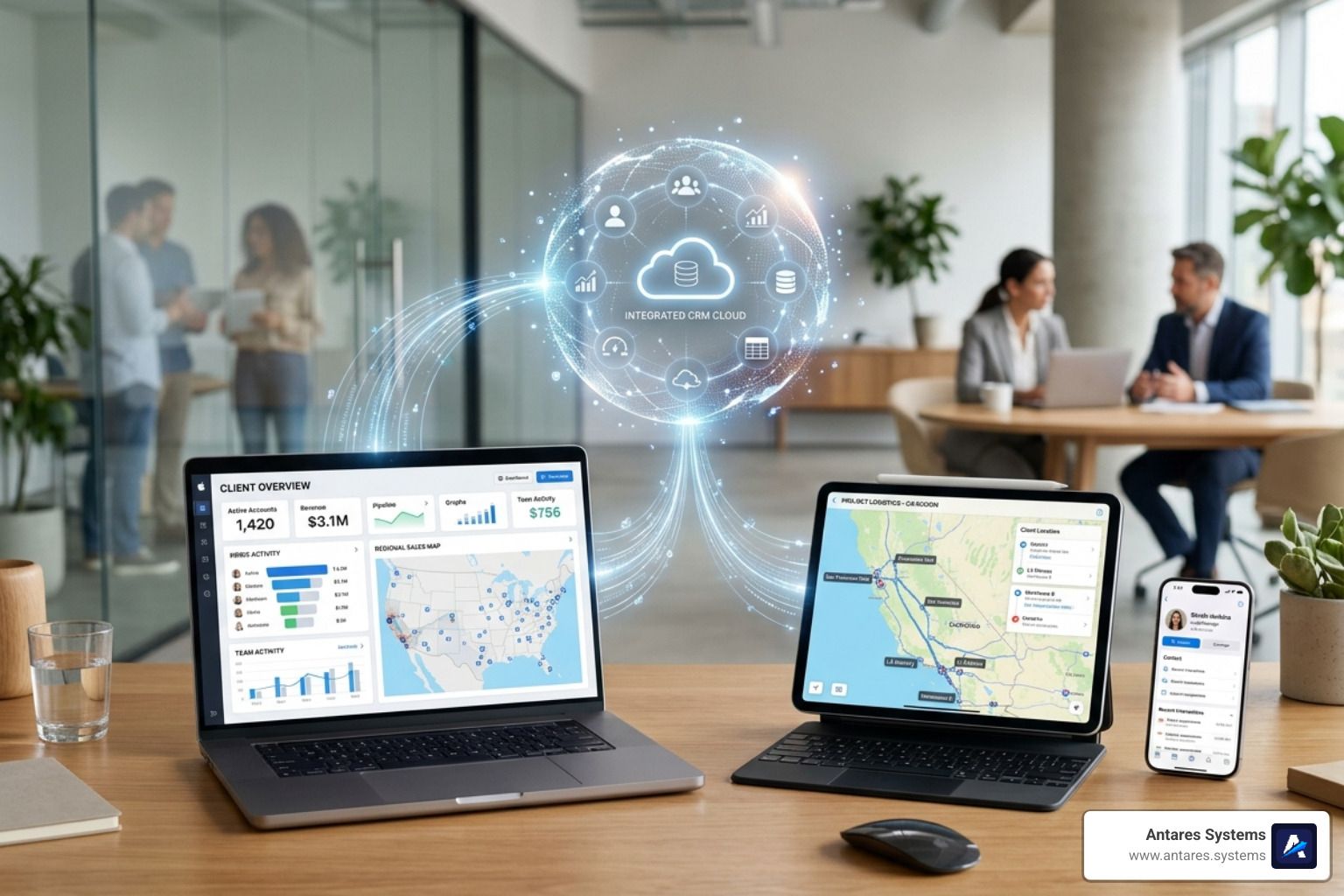
Why Apple Business Connect CRM Integration Is a Game-Changer for Local Businesses
Apple Business Connect CRM integration connects your customer data directly to how your business appears across Apple Maps, Siri, Wallet, and Messages — keeping your listings accurate and turning Apple device users into real leads.
Here's a quick look at what this integration does and which platforms support it:
What It Does
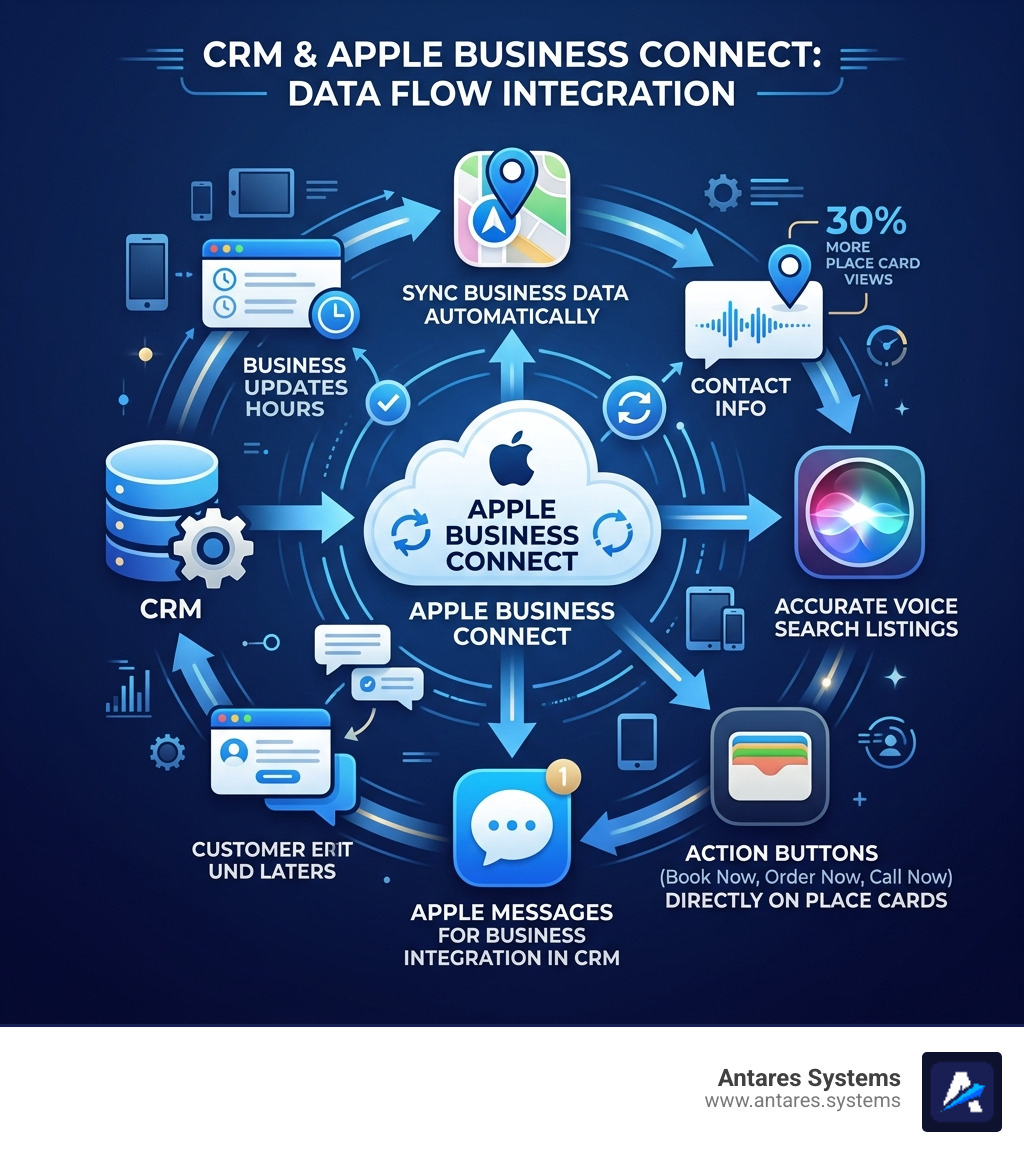
- Syncs your CRM business data to Apple Maps and Siri listings automatically
- Enables customer messaging through Apple Messages for Business inside your CRM
- Lets you add action buttons (Book Now, Order Now, Call Now) directly to your Apple Maps place card
- Supports branded email logos, Tap to Pay, and Business Caller ID across Apple apps
CRM Platforms With Apple Business Connect Support
- Vendasta — syncs Business Profile data to Apple Maps and Siri
- Kommo — connects Apple Messages for Business for rich media chat and lead capture
- Salesforce Service Cloud — integrates Apple Messages for Business for customer support workflows
Why It Matters Right Now
- Over 2 billion active Apple devices worldwide
- More than half of Americans use iPhones
- Claimed businesses get 30% more views on Apple Maps place cards
- Action links increase clickthrough rates by 31%
That's a lot of eyeballs — and a lot of missed opportunities if your CRM and Apple aren't talking to each other.
Think about it this way: if a customer search for your plumbing business on Siri or Apple Maps, but your hours are wrong and there's no "Call Now" button, you've already lost them. Syncing your CRM to Apple Business Connect fixes that — automatically.
I'm Angela D., an SEO Account Manager with a background in IT and software development, and I've helped businesses build exactly these kinds of integrated digital systems to improve their Apple Business Connect CRM integration and drive measurable growth in organic visibility. In this guide, I'll walk you through everything you need to know — from setup to ROI tracking — so you can stop leaving Apple traffic on the table.
The Power of Apple Business Connect CRM integration

In today's digital landscape, your business isn't just a physical storefront in McAllen or a service truck in San Antonio; it’s a digital entity that lives on your customers' devices. With over 2 billion active Apple devices globally, ensuring your brand looks its best in the Apple ecosystem isn't just "nice to have"—it’s essential for survival.
When we talk about the power of Apple Business Connect CRM integration, we’re talking about taking control. By claiming your business and syncing it with your central database, you ensure that the person searching for "emergency AC repair" in Edinburg sees your correct phone number, your best photos, and a direct button to book an appointment.
Research shows that claimed businesses receive 30% more views on their Apple Maps place cards. Furthermore, using custom action links can increase your clickthrough rate by 31%. This isn't just about being found; it’s about being chosen. You can explore more about these tools on the official Apple Business Connect - Marketing Tools for Business Owners page or dive deeper into our insights on More info about Apple Business Connect.
Enhancing Local Discovery in 2026
As of April 2026, local discovery has moved far beyond simple text searches. Users are asking Siri while driving through Dallas or glancing at Apple Maps on their CarPlay screen in Houston.
Apple Business Connect CRM integration ensures your Place Cards are rich with data:
- Real-Time Accuracy: If you change your holiday hours in your CRM, those changes flow directly to Apple Maps.
- Location Attributes: Highlight specific details like "Wheelchair Accessible," "Free Wi-Fi," or "Veteran-Owned" directly from your CRM fields.
- Siri Voice Search: When a user asks, "Find a lawyer near me," Siri pulls from the verified data provided through Business Connect, giving you a massive edge over unverified competitors.
Driving Conversions with Action Links
The ultimate goal of any marketing effort is to turn a "looker" into a "booker." Apple Business Connect allows you to place "Action Links" directly on your place card. These aren't just links to your website; they are deep links to specific tasks:
- Order Now: Perfect for restaurants or supply shops.
- Book Now: Ideal for home service providers in Mission or Pharr.
- Get Directions: A must-have for retail locations.
- Custom Actions: You can create unique buttons that lead to your CRM’s specific scheduling or quote request pages.
Key Features and API Capabilities for CRM Syncing
The magic happens behind the scenes via the Apple Business Connect API. This allows third-party partners and CRM providers to sync data at scale. This is especially useful for our clients in the Rio Grande Valley who manage multiple locations—you can update 50 storefronts as easily as one.
Apple maintains a list of Approved Apple Business Connect API partners that have built-in "shared access" capabilities. This means you can delegate authority to an agency like ours to manage your listings without handing over your personal Apple Account credentials.
Apple Business Connect CRM integration for Messaging
One of the most exciting features is Apple Messages for Business (AMB). This allows customers to start a chat with you directly from Maps or Siri. When integrated with a CRM like Kommo or Salesforce, these chats aren't just texts—they are powerful workflow tools.
Rich Media Features in AMB:
- List Pickers: Let customers choose a service (e.g., "Standard Cleaning" vs. "Deep Cleaning") directly in the chat.
- Time Pickers: Customers can select an available time slot that syncs with your CRM calendar.
- Apple Pay: Process payments securely within the conversation.
- Lead Capture: Every new chat automatically creates a lead profile in your CRM, capturing the user's name and contact intent.
For a specialized look at how this impacts your local reach, Learn about our Apple Business Connect Map services.
Advanced Branding and Trust Tools
Apple has expanded Business Connect to help you build trust even before a customer clicks.
- Branded Mail: Your company logo and name appear in the recipient's inbox in Apple Mail, making your follow-up emails look professional and verified.
- Tap to Pay on iPhone: When you accept a payment in the field (perfect for construction crews in Austin), your logo appears on the customer’s screen and their digital receipt.
- Business Caller ID: When you call a lead from your CRM-connected line, your name and logo can appear on their iPhone screen, drastically increasing answer rates and reducing the "spam" stigma.
Step-by-Step Guide to Connecting Your CRM
Setting up your Apple Business Connect CRM integration requires a bit of preparation, but the payoff is worth the effort. Whether you are a solo lawyer in Brownsville or a large HVAC company in Dallas, the process follows a standardized path.
You can find more technical details on how to Create Third-Party Partner Actions in Apple Business Connect, but here is our simplified breakdown.
Preparing Your Business Data
Before you touch the software, you need to clean up your data. Apple has high standards for what it displays to its 1 billion+ users.
Data Hygiene Checklist:
- Standardized Name: Use your legal "Doing Business As" (DBA) name consistently.
- High-Quality Photos: Apple recommends a mix of exterior, interior, and product/service shots. Avoid stock photos; use real shots of your team in Pharr or your office in McAllen.
- Operating Hours: Ensure your CRM has accurate regular and holiday hours.
- Location Properties: Double-check your latitude and longitude coordinates to ensure the "Get Directions" button actually leads to your door.
Optimizing Apple Business Connect CRM integration
Once your data is ready, you'll move into the technical connection.
The Setup Workflow:
- Register with Apple: Sign in to the Business Connect portal using an Apple Account (formerly Apple ID).
- Verify Your Business: This usually involves a phone call or document upload to prove you own the business.
- Delegate Authority: In the "Shared Access" section, you can invite your CRM provider or your agency (like us!) as a "Third-Party Partner."
- API Key/Webhook Config: Your CRM will provide a specific code or link that connects their system to Apple’s. This allows the "automated data sync" to begin.
- Multi-Location Management: If you have offices in Miami and Dallas, use the "Company" entity type to manage both under one umbrella.
Real-World Use Cases and ROI Tracking
Seeing how this works in the wild helps illustrate the value. Recently, Apple expands tools to help businesses connect with customers, making it even easier for non-physical businesses (like mobile pet groomers or consultants) to get in on the action.
Home Services and Field Operations
Imagine a roofing contractor in San Antonio. Through Apple Business Connect CRM integration, they can:
- Capture Leads: A homeowner sees their "Showcase" (a special promotion) on Apple Maps and clicks "Message Us."
- Use ARKit: The technician arrives and uses the Salesforce Field Service ARKit integration to measure the roof's dimensions using just their iPhone camera.
- Instant Invoicing: The measurements are sent back to the CRM, an invoice is generated, and the customer pays via Apple Pay on the spot.
Measuring Success with Insights
You don't have to guess if your Apple Business Connect CRM integration is working. Apple provides a robust "Insights" dashboard that can often be pulled directly into your CRM reporting.
Metrics to Track:
- Search Performance: How many people found you via "Category Search" (e.g., "Plumber") vs. "Direct Search" (your business name).
- Interaction Metrics: How many people actually clicked "Call," "Directions," or "Website."
- Benchmark Data: How you compare to similar businesses in the Rio Grande Valley or Austin area.
- Conversion Tracking: By using unique tracking links in your Action Buttons, your CRM can tell you exactly how many sales originated from Apple Maps.
Frequently Asked Questions about Apple Business Connect
What are the requirements for CRM integration?
To get started, you need a verified Apple Account and a business that is registered in the Apple Business Connect portal. Your CRM must support either a direct integration (like Vendasta or Kommo) or have the ability to connect via API. You'll also need to pass Apple’s verification process, which ensures you are the rightful owner or authorized representative of the business.
Is there a cost for using Apple Business Connect?
The Apple Business Connect portal itself is a free tool provided by Apple. There are no subscription fees to list your business or use the basic features. However, your CRM provider may charge a fee for the integration service, and if you work with an agency for setup and management, there will be professional service fees involved.
How does Apple protect customer privacy in these integrations?
Privacy is a core pillar for Apple. In messaging integrations, conversations are customer-initiated, meaning you cannot "cold message" users. Apple also uses end-to-end encryption for messages and minimal data collection. When a customer uses an Action Link, Apple only shares the data necessary to complete that specific action (like a name and phone number for a reservation), keeping the rest of the user’s profile private.
Conclusion
At Antares Systems, we know that managing a business in McAllen, Edinburg, or anywhere across Texas is a full-time job. You shouldn't have to spend your weekends worrying if your Apple Maps listing is correct or if your CRM is talking to your customers' iPhones.
Our team specializes in creating these "best friend" relationships between your technology stacks. From AI-powered marketing to seamless Apple Business Connect CRM integration, we handle the technical heavy lifting so you can focus on what you do best: serving your customers.
Whether you're in home services, legal, or construction, let's make sure that when a billion Apple users are looking for help, they find you first.
Get started with our Local SEO services
Summary of Benefits:
- Increased Visibility: Reach over 1 billion users across the Apple ecosystem.
- Improved Efficiency: Sync data once and update Maps, Siri, and Wallet simultaneously.
- Higher Trust: Use Branded Mail and verified Caller ID to stand out from spam.
- Better Conversions: Enable direct bookings and payments within the Messages app.