Don't Break the Bank: How to Get a Cheap Website for Your Small Business

Why Your Small Business Doesn't Need to Spend Thousands on a Website
Cheap small business website design doesn't mean compromising on quality—it means making smart choices that fit your budget. Here's what you need to know:
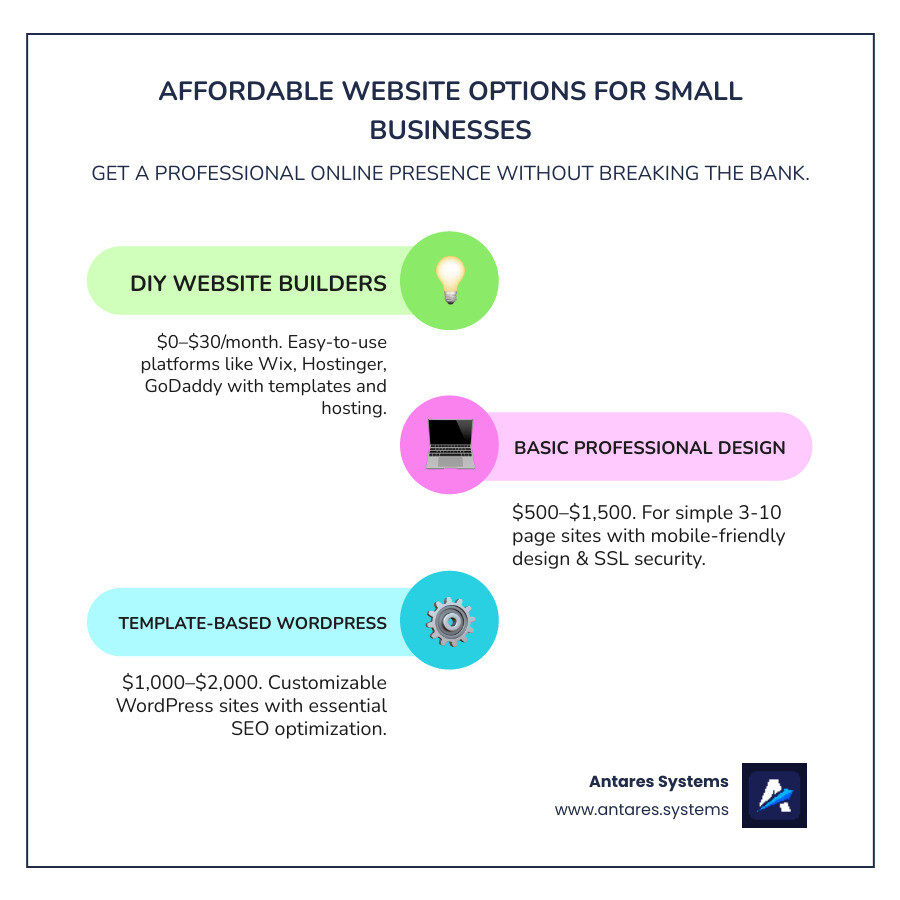
Quick Answer: Affordable Website Options
- DIY Website Builders: $0–$30/month
- Basic Professional Design: $500–$1,500 for simple sites
- Template-Based WordPress: $1,000–$2,000 with customization
- Essential Features Included: Mobile-friendly design, SSL security, basic SEO
Most small businesses can get a professional-looking website for under $1,500—and sometimes for free if you're willing to use a builder platform.
If you're running a small business in the Rio Grande Valley, you already know that every dollar counts. The good news? You don't need to spend $5,000 or more to get online.
While the average professional website can cost thousands, most small businesses don't need all the expensive, custom features. A simple, well-designed site can attract customers, build credibility, and generate leads without breaking your budget.
Today's technology makes it possible to create a professional-looking website with no programming knowledge and minimal investment. Whether you're a home services contractor, law firm, or construction business, you need a website that shows up on Google and converts visitors into customers—not a fancy digital brochure that drains your bank account.
I'm Angela D., and I've helped businesses improve their online presence through affordable SEO strategies and optimized content that drives real results. Throughout this guide, I'll show you exactly how to get a cheap small business website design that works for your budget and your business goals.
The Power of an Online Presence: Why a Website is Non-Negotiable
If your small business doesn't have a website in 2024, you're invisible to most potential customers. Think of your website as your 24/7 storefront—one that never closes and is always working for you, whether someone's searching for your services at 2 PM or 2 AM.
Benefits of a Professional-Looking Website for Small Businesses
Here's what happens when you get your business online with a professional-looking site (and yes, cheap small business website design can still look professional).
- Instant Credibility: A real website signals that you're a legitimate business. If a potential customer Googles you and finds nothing, you've already lost half the battle.
- Expanded Reach: Your website connects you with customers beyond your immediate neighborhood, whether they're in the next town or another state.
- Always Open for Business: While you're sleeping or on vacation, your website is answering questions, showcasing your work, and collecting leads.
- A Central Hub: All your marketing efforts—social media, email, ads—should point back to your website. It's where people go to learn the full story and decide to become customers.
- Valuable Data: Simple analytics tools show you what services people are interested in and where they're coming from, helping you make smarter business decisions.
The bottom line? Your competitors already have websites. If you don't, you're automatically at a disadvantage. We've seen this play out countless times across the Rio Grande Valley—businesses without websites lose customers to competitors who show up in Google searches.
Want to dive deeper? Check out our insights on Reasons Why a Small Business Needs a Website.
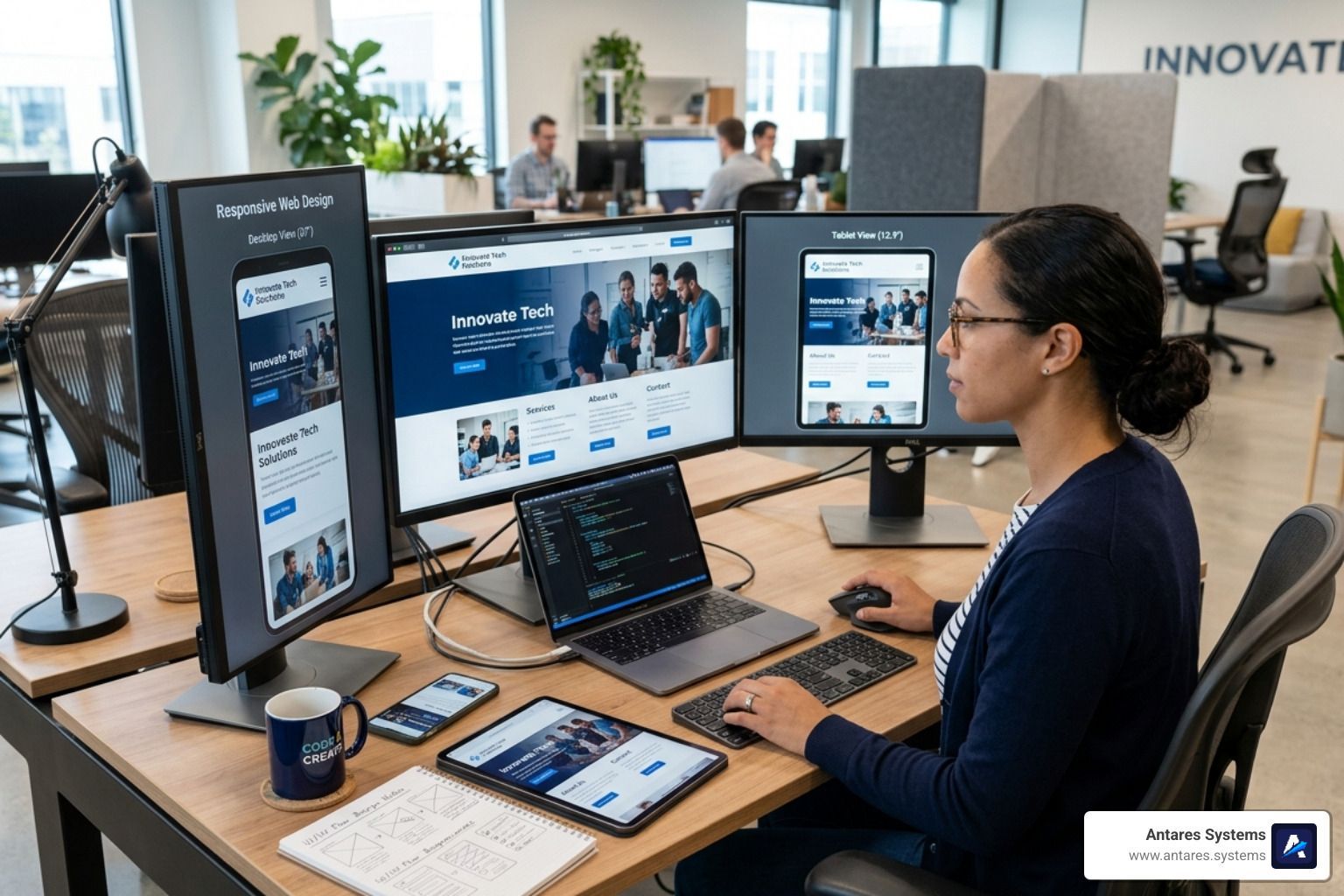
The Importance of Responsive Design
Picture this: someone searches for your services on their phone, but your website is unreadable. The text is tiny, and images are cut off. They'll hit the back button and call your competitor. This happens every day to businesses with outdated websites.
More people browse the web on phones than computers now. If your website doesn't work perfectly on a smartphone, you're turning away more than half of your potential customers.
Responsive design means your site automatically adjusts to look great on any device. The images resize, the text stays readable, and the buttons are easy to tap. It's not magic—it's just smart design.
Here's the kicker: Google actually punishes websites that aren't mobile-friendly. Their search algorithm prioritizes responsive sites, as explained in Google's mobile-first indexing documentation. If your site doesn't work well on mobile, you're not just losing visitors—you're losing search rankings too.
We make sure every website we build is mobile-friendly from day one. Learn more in our guide on how to Make Your Website Mobile-Friendly.
Main Types of Websites for Small Businesses
Not all websites are created equal. Here are the main types to consider:
- Brochure Website: This is your digital business card. It tells people who you are, what you do, and how to contact you. For many service providers, contractors, and law firms in the Valley, this simple setup is perfect.
- E-commerce Website: For businesses that sell physical products online. These require shopping carts, product catalogs, and secure payment processing.
- Portfolio Website: Ideal for creatives like photographers and designers who need to showcase their work visually through galleries and case studies.
- Booking/Scheduling Website: Perfect for service businesses where customers make appointments (salons, consultants, HVAC). This lets customers book directly online, saving you time.
The good news? Even with cheap small business website design options, you can get any of these types built affordably.
Explaining DIY: Building Your Website Without Coding
Thanks to modern website builders, creating a professional website is now as simple as putting together a slideshow. You don't need to know what HTML stands for or hire an expensive developer to get online.
The real game-changer has been the drag-and-drop interface. You simply click on an element (a photo, a text box, a button) and move it where you want it. No mysterious code, no technical headaches.
Key Features to Look for in Free or Low-Cost Website Builders
When shopping for a platform to create your cheap small business website design, make sure it checks these boxes:
- Customizable Templates: Start with a professionally designed layout and personalize it with your brand's colors, images, and text.
- Mobile Responsiveness: The builder should automatically make your site look great on all devices without any extra work from you.
- E-commerce Capabilities: If you sell online, look for built-in shopping carts, secure payment processing, and inventory management.
- SEO Tools: Basic tools to edit page titles, add descriptions, and create a sitemap will help Google find your business.
- Customer Support: Access to live chat, tutorials, or phone support is crucial when you hit a snag.
- Scalability: Choose a platform that can grow with you, allowing you to add a blog, booking systems, or more products later.
How Small Businesses Can Leverage AI Tools
Artificial intelligence is one of the most powerful shortcuts for small businesses building websites on a budget.
- AI Website Builders: Answer a few questions about your business, and an AI can generate a complete, custom website in minutes.
- AI Content Creation: These tools can draft everything from homepage headlines to service descriptions, beating writer's block and saving you hours.
- AI Design Suggestions: Get recommendations for color schemes, layouts, and image placements that are proven to work in your industry.
- AI-Powered SEO: Let AI handle the technical side of SEO by generating meta tags, suggesting keywords, and providing checklists to improve your Google rankings.
At Antares Systems, we use AI tools to help businesses get online faster and smarter. Our AI Website Builder combines the best of automation with human expertise. The right AI Tools for Small Businesses can level the playing field.
The bottom line? Building your own website without coding isn't just possible anymore—it's straightforward and effective.
Website Builders: Your Affordable Allies
Website builders are your secret weapon for creating a cheap small business website design that looks professional without the hefty price tag. Think of them as the difference between hiring a construction crew to build a house from scratch versus buying a beautiful, move-in-ready home that you can customize.
Popular Low-Cost Website Builders for Small Businesses
There are several excellent options that won't drain your bank account. Instead of getting lost in brand names, focus on the features that matter to you.
Some builders are known for their vast template libraries and powerful AI features. With thousands of professionally designed templates and a drag-and-drop editor, you can achieve a highly custom look. Their AI can even generate a complete site for you in minutes. These platforms often bundle a full suite of business tools, including e-commerce, appointment scheduling, and email marketing, with robust security and hosting. You can often start for free, with paid plans required to connect a custom domain.
Other platforms compete on price, offering incredibly low monthly costs for beginners. These budget-friendly options still include beginner-friendly editors, AI tools for design and content, and dozens of customizable templates. They provide solid value and customer support, making them a great entry point if your top priority is minimizing costs.
If you get overwhelmed by too many options, you'll appreciate builders focused on simplicity and speed. Their AI assistants can help with everything from the initial website draft to logo design and marketing. These platforms often integrate strong social media and email marketing tools, making it an all-in-one solution for business owners who want to get online quickly with minimal fuss.
Finally, for those prioritizing aesthetics, certain builders offer stunning, award-winning designs. If you're a photographer, architect, or boutique service provider, these templates provide a clean, modern, and polished look. They often come with robust e-commerce and appointment scheduling features built-in, ensuring your site is as functional as it is beautiful.
Understanding Self-Hosting vs. Builder Hosting
Here's a simple breakdown of where your website lives:
Builder hosting is what you get with the platforms described above. You pay a monthly subscription, and the company handles all the technical headaches: server maintenance, security updates, and backups. It's like renting an apartment where utilities and maintenance are included. This is the hassle-free option that most small businesses need for a cheap small business website design. The trade-off is less control over the underlying technology.
Self-hosting is where you buy web hosting separately and install software like WordPress.org. It's like owning a house—you have complete control and unlimited customization potential, but you're also responsible for all maintenance and security. This requires more technical knowledge or hiring someone to manage it for you.
For most small businesses in the Rio Grande Valley, builder hosting is the smarter, simpler, and more affordable choice. However, if your business has complex needs, we offer comprehensive WordPress Website Design Services to help you steer the complexities of self-hosting.
Beyond the Build: Essential Elements for Success
Building your website is just the beginning. To make your cheap small business website design work for you, focus on the elements that turn visitors into paying customers.
Essential Elements of a Good Website
- Clear Value Proposition: Visitors should understand what you do and why they should choose you within seconds.
- Intuitive Navigation: A simple, logical menu makes it easy for users to find what they need.
- High-Quality Content: Use clear text and crisp, relevant images. Everything should serve a purpose.
- Strong Call-to-Action (CTA): Tell visitors what to do next with obvious buttons like "Get a Free Quote" or "Call Now."
- Visible Contact Information: Your phone number, email, and location should be easy to find on every page.
- Mobile-Friendliness: Your site must work perfectly on phones and tablets. This is non-negotiable.
- Fast Loading Speed: Users will abandon a site that takes more than three seconds to load. Learn more in our guide to Google Core Web Vitals Basics.
- Security (SSL): The padlock icon in the browser protects visitor data and builds trust with Google and users.
Optimizing Your Website for Search Engines (SEO)
An amazing website is useless if no one can find it. That's where search engine optimization (SEO) comes in.
- Keyword Research: Understand the words and phrases your potential customers are typing into Google.
- On-Page SEO: Naturally include your keywords in page titles, descriptions, and headings. Write for humans first, search engines second. For a deeper dive, check out our On-Page SEO Guide.
- Local SEO: If you serve a specific area like the Rio Grande Valley, focus on local SEO. This includes optimizing your Google Business Profile and creating location-specific content. Our Local SEO Services are designed for this.
- Content Quality: Regularly publishing helpful blog posts establishes you as an authority and gives Google more reasons to rank your site. Wondering if it's worth it? Read our post on why blogging is not dead.
Choosing a Domain Name and Connecting It
Your domain name is your website's address (yourbusiness.com). Choose one that is memorable, easy to spell, and relevant to your business. After registering your domain for a small annual fee (usually $10-15), you'll connect it to your website builder. The builder will provide step-by-step instructions to guide you through this simple process.
Leveraging Marketing Tools Within Website Builders
Modern website builders are also marketing platforms. Use their built-in tools for:
- Email Marketing: Collect emails and send newsletters or promotions directly to your customers.
- Social Media Integration: Connect your social profiles and even schedule posts from your website's dashboard.
- CRM Solutions: Track leads and manage customer interactions to ensure no opportunity falls through the cracks.
For more ideas, check out our guide to Low-Cost Marketing Ideas for Small Businesses.
Managing Payments and Customer Interactions
If you sell online, you need seamless payment and booking systems. Most builders integrate with popular payment gateways like Stripe or PayPal. For service businesses, built-in booking systems are game-changers, allowing clients to schedule and pay for appointments directly on your site. This reduces friction and converts more visitors into customers.
DIY vs. Professional: When to Call in the Experts
DIY website builders are amazing for getting your small business online quickly and affordably. But it's important to understand their limits.
Advantages of Using a Website Builder
Website builders are cost-effective, letting you launch a site for a small monthly fee. You can get online in hours or days, not weeks or months. The drag-and-drop interfaces mean you don't need to code. They are an all-in-one solution, bundling hosting, security, and basic marketing tools. For many small businesses in McAllen, Edinburg, or Mission, this is the right first step.
When to Consider a Professional Web Developer
As your business grows, you might outgrow a DIY builder. That's when bringing in professionals like our team at Antares Systems becomes a strategic investment.
- Custom Functionality: If you need complex booking systems, specialized calculators, or unique software integrations, a professional can build it.
- Custom Design: While templates look good, a custom design is custom specifically to your brand, helping you stand out in a competitive market.
- Advanced SEO & Strategy: To dominate local search, you need an expert who understands technical SEO, content strategy, and competitor positioning. This goes far beyond what any DIY tool can offer.
- Time Savings: Your time is valuable. Let experts handle your digital presence so you can focus on running your business.
- Scalability and Performance: A professional ensures your site loads fast, remains secure, and can handle growth without technical headaches.
- Automated Lead Capture: This is where our Smart Website Design truly shines. We implement systems that capture visitor information and automatically nurture leads with follow-up sequences, turning your site into a 24/7 salesperson.
Our full-service digital marketing approach means we handle everything from Local SEO to content creation, so you can grow without stress. If you're serious about choosing the right partner, our guide on Choosing a Web Designer for Business can help.

Website Security Features
Whether DIY or pro, security is non-negotiable. Key features include SSL certificates to encrypt data, automatic backups as an insurance policy, and regular software updates to patch vulnerabilities. Reputable builders and professional services handle this for you, but it's a common point of failure for unmanaged DIY sites.
Website Management and Updates
With website builders, management is simple. You log in, make changes with the editor, and publish. It's designed for business owners.
Self-hosted platforms like WordPress require more technical know-how for updates. One wrong move can break your site, which is why many businesses eventually partner with professionals to handle these technical details.
The bottom line? Start with what fits your budget and comfort level. A DIY builder is a great start. But as you grow, don't hesitate to bring in experts who can take your online presence to the next level.
Real-World Success: Small Businesses Thriving Online
You might be wondering if a cheap small business website design can actually deliver real results. The answer is a resounding yes—and we see it happen all the time.
Throughout the Rio Grande Valley and beyond, small businesses are proving that you don't need a massive budget to create an effective online presence. Smart business owners are making strategic choices that fit their budgets while still attracting customers.
Take a local bakery that started with a simple drag-and-drop builder. They began on a free plan to test the waters, then upgraded for a small monthly fee to get a custom domain. Using the built-in tools, they created a beautiful online menu and a simple ordering system. The result? A significant increase in online orders from customers who found them through Google searches.
Then there's a handyman in Houston who was skeptical about websites. He created a straightforward, mobile-friendly site listing his services, displaying testimonials, and featuring a prominent "Call Now" button. He paired this with the platform's social media tools to share before-and-after photos. Within weeks, he was getting calls from new customers he never would have reached otherwise.
In San Antonio, a boutique owner used a design-focused builder to create a visually stunning e-commerce site. The platform's clean, modern templates were perfect for showcasing her unique fashion pieces. The professional look of her site helped her compete with larger retailers on a fraction of the budget.
What all these businesses have in common isn't a huge marketing budget. They made smart, strategic choices. They understood that a cheap small business website design doesn't mean cheap results—it means being resourceful and focusing on what actually matters.
These aren't isolated stories. They represent a fundamental shift in how small businesses can compete online. Whether you're running a law firm in Dallas or a construction company in McAllen, the right website—built on the right budget—can transform your business. The key is to choose the right platform for your needs and optimize it for the people you want to reach.
Your Next Step Towards an Affordable Online Presence
We've covered how getting a professional website for your small business doesn't have to break the bank. With the right strategy, you can build a powerful online presence that fuels your growth. Whether you use a DIY builder or get professional help, remember to focus on essential features, ensure your site is mobile-friendly, and optimize it for search engines.
If you're ready to take your business online, or if you've tried the DIY path and need a more strategic solution, we're here to help. At Antares Systems, we specialize in "Smart Website Designs." These aren't just pretty pages; they're built with automated lead capture and follow-up systems, turning your website into a tireless marketing engine. Imagine your website working to bring you new clients!
Ready to chat about a cheap small business website design that delivers real results? We're excited to hear your vision.
We offer a range of services to get you noticed and grow your business. Explore our Website Design Services to see how we craft custom solutions. If you're a local business, our Local SEO Services will ensure customers find you. We can also help with Reputation Management and Google Business Profile Optimization Services. For specific industries, we offer specialized support like Digital Marketing for Home Services and Digital Marketing for Lawyers.
Let us partner with you to create a powerful, affordable website that works hard for your business, allowing you to focus on what you do best.